
Managing Your Software - Company Portal
Introduction
Company Portal is a self-service portal like Software Centre, but is managed by a different system to the one that Software Centre uses.
Using Company Portal
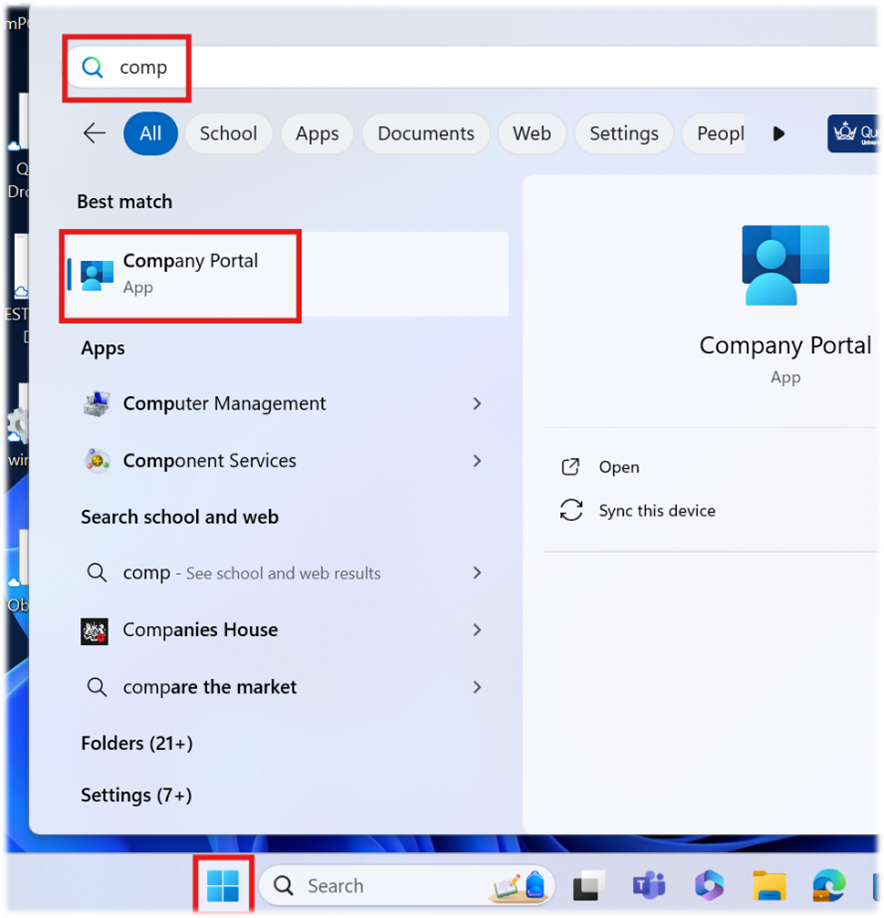
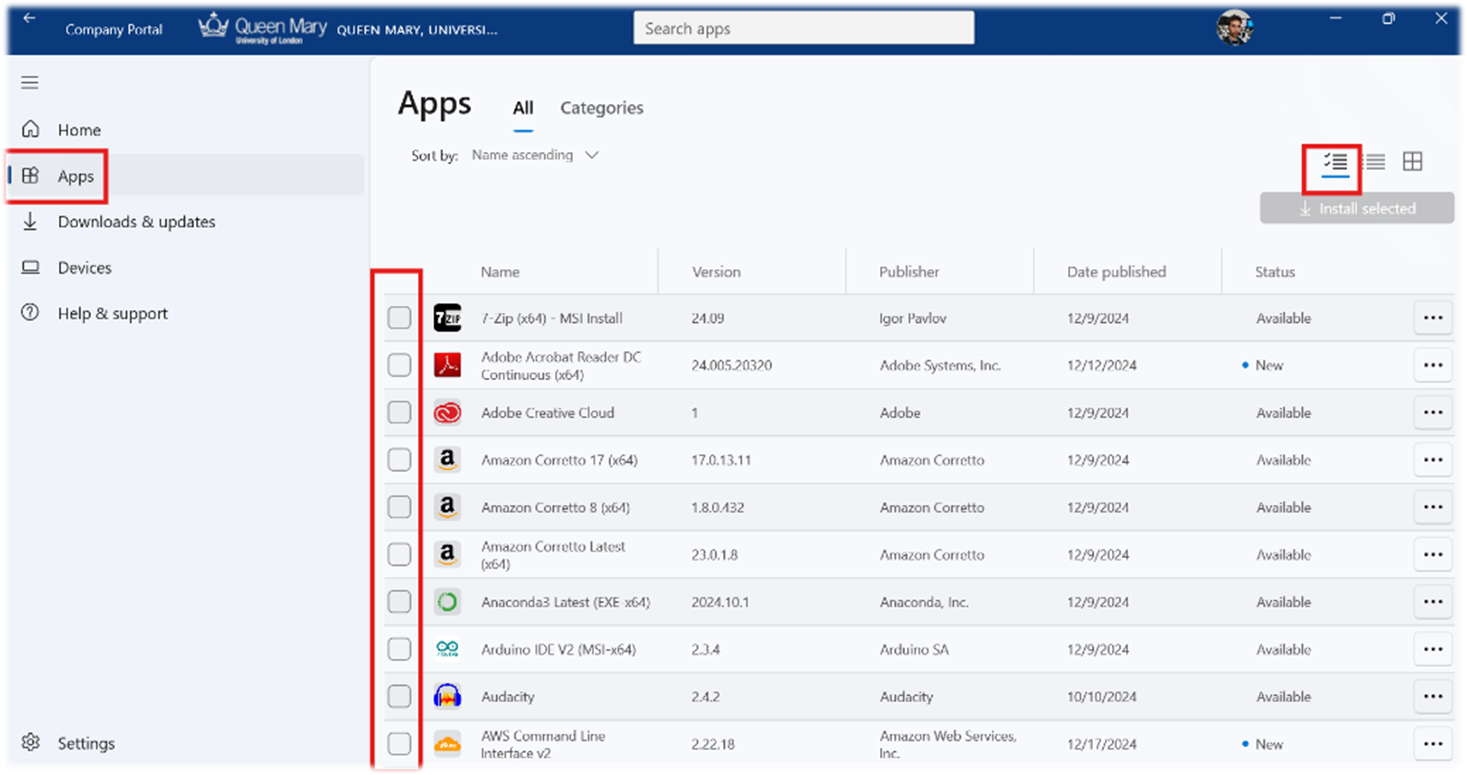
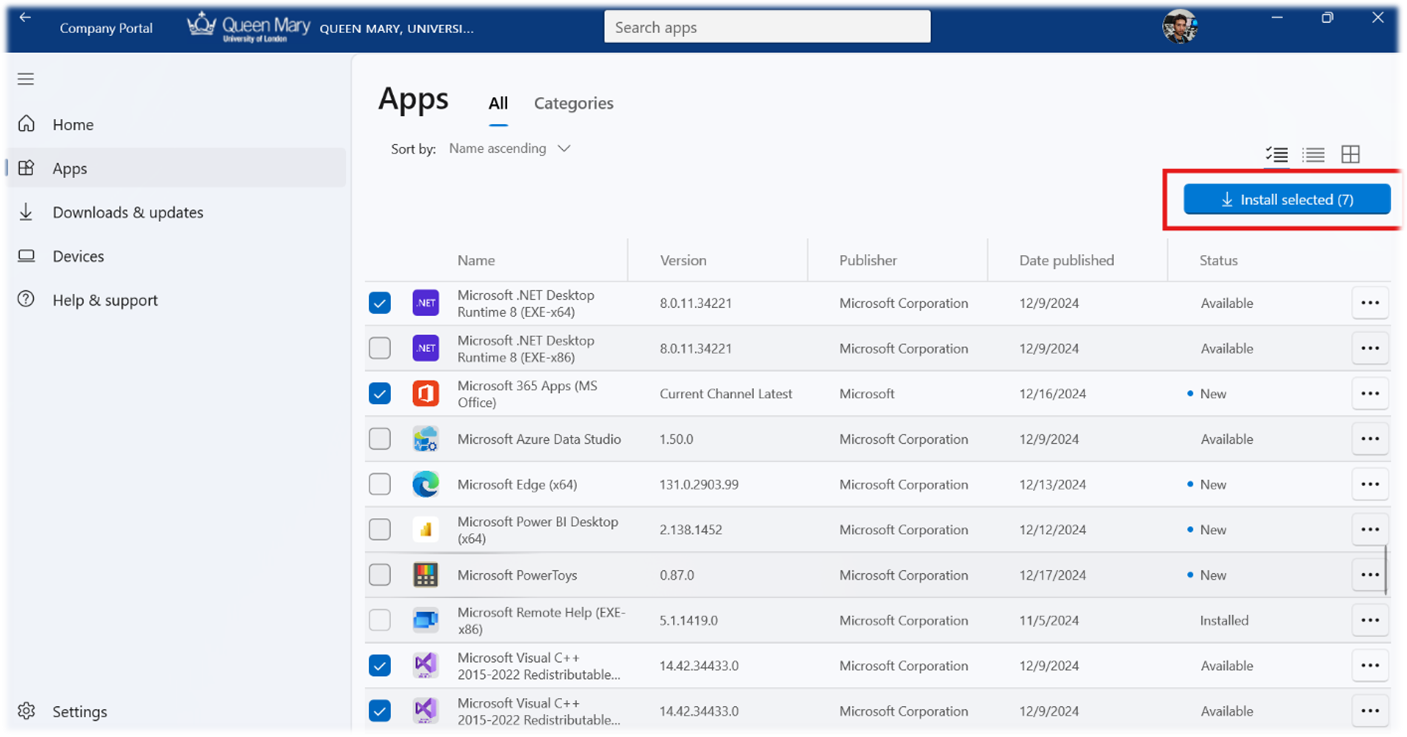
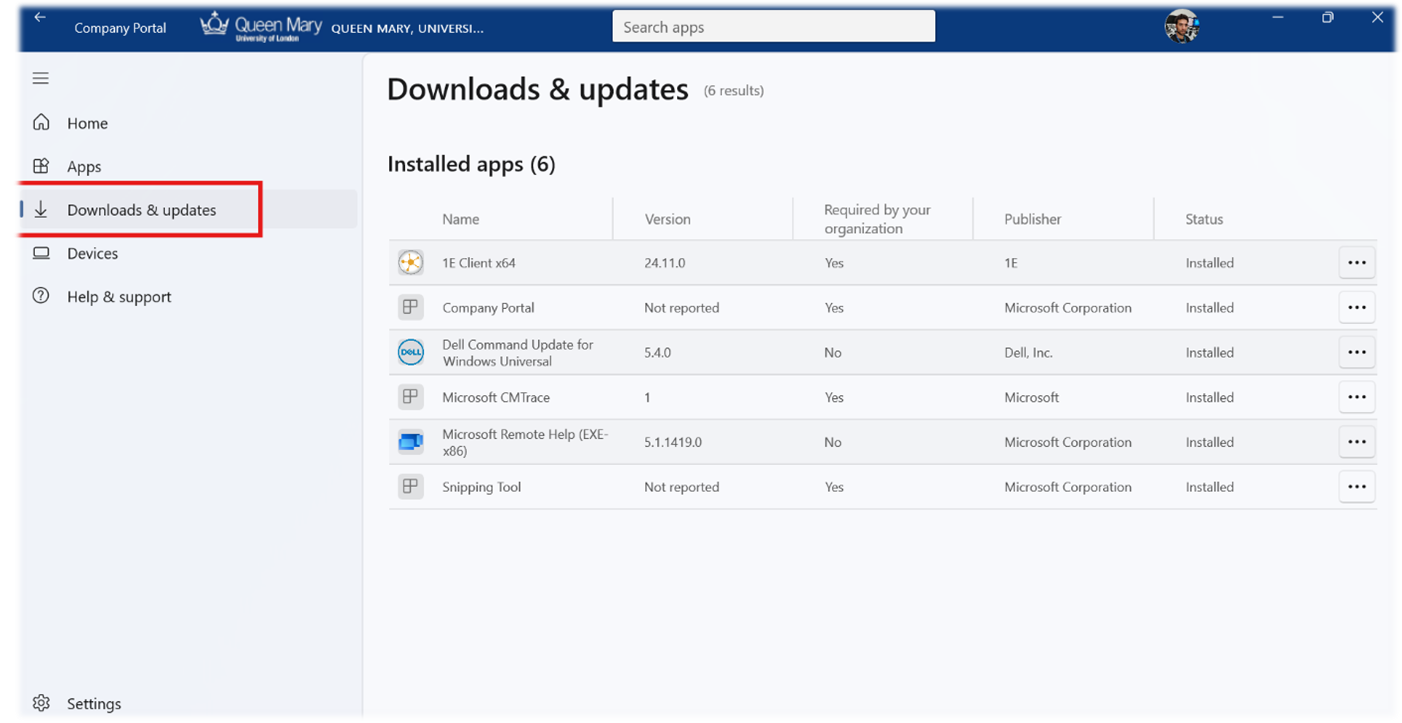
At this point you can close the Company Portal and launch your newly installed applications. Some software may require a reboot. You will be prompted for a restart if this is necessary.
Advantages
- It can be used from anywhere with an internet connection. No VPN required!
- The application management interface is a bit slicker and easier to use (e.g. App Categorisation).
- You have visibility of all devices you use on a regular basis via the Devices tab, complete with their compliance state.
- Troubleshooting and syncing the machine are all possible from within the portal.
Disadvantages
- You cannot repair software or run special actions from here, like with Software Centre.
- It can seem slower to notify you of what is going on.
- We can only deliver certain types of software this way. E.g. Some software might be too big to made available and requires contacting ITS helpdesk.